

This is part of a series where I deep-dive into my favourite First Draft Pro features and how they were designed, because I love understanding the story behind a thing, and you might too! If you’d like to give your own feedback on this or any other feature (I love feedback, especially yours) you can do that here.
Something that a lot of people don’t know about First Draft Pro, is that the idea started out as a plugin for Google Docs. I’d been writing my novel in Google Docs, and was up to around 50K+ words by mid-2019, but I was really struggling to see the wood for the trees (or I suppose I’d quite literally lost the plot).
What I wanted was a way to “zoom out” of the story and see a higher-level picture of where I was, and Google Docs was just not giving me that. What I did love about Google Docs was that it was collaborative and I could share it with other people. I have learned about myself that I love a bit of external validation, I’m just not a your-own-opinion-is-the-only-one-that-matters girlie yet, however much I strive to be her.
I also loved that Google Docs was clean and modern, where a lot of other writing apps felt very dated to me. So, while there were other writing apps available at the time, there wasn’t one that hit my exact Venn diagram of pretty/collaborative/functional. All the apps that hit those requirements were not made for writing stories, so I always felt like I was trying to jam an organic amorphous process into a square hole.
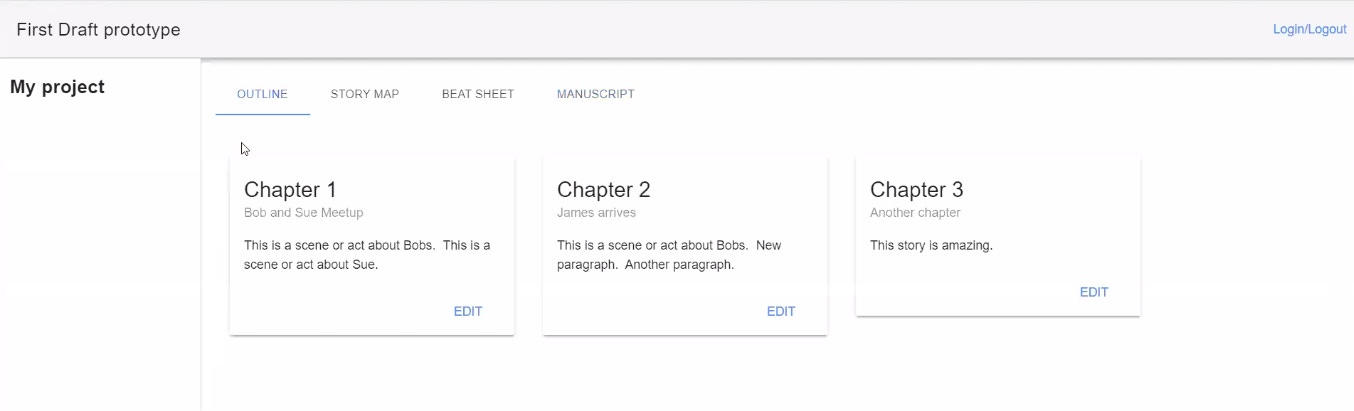
The failed prototype plugin :)
The plugin for Google Docs was my solution, and we even built a prototype of it! But ultimately, we realised it would never work. Google put too many restrictions in place for it to have the features I wanted. Of course, the only remaining option was to build it from scratch!
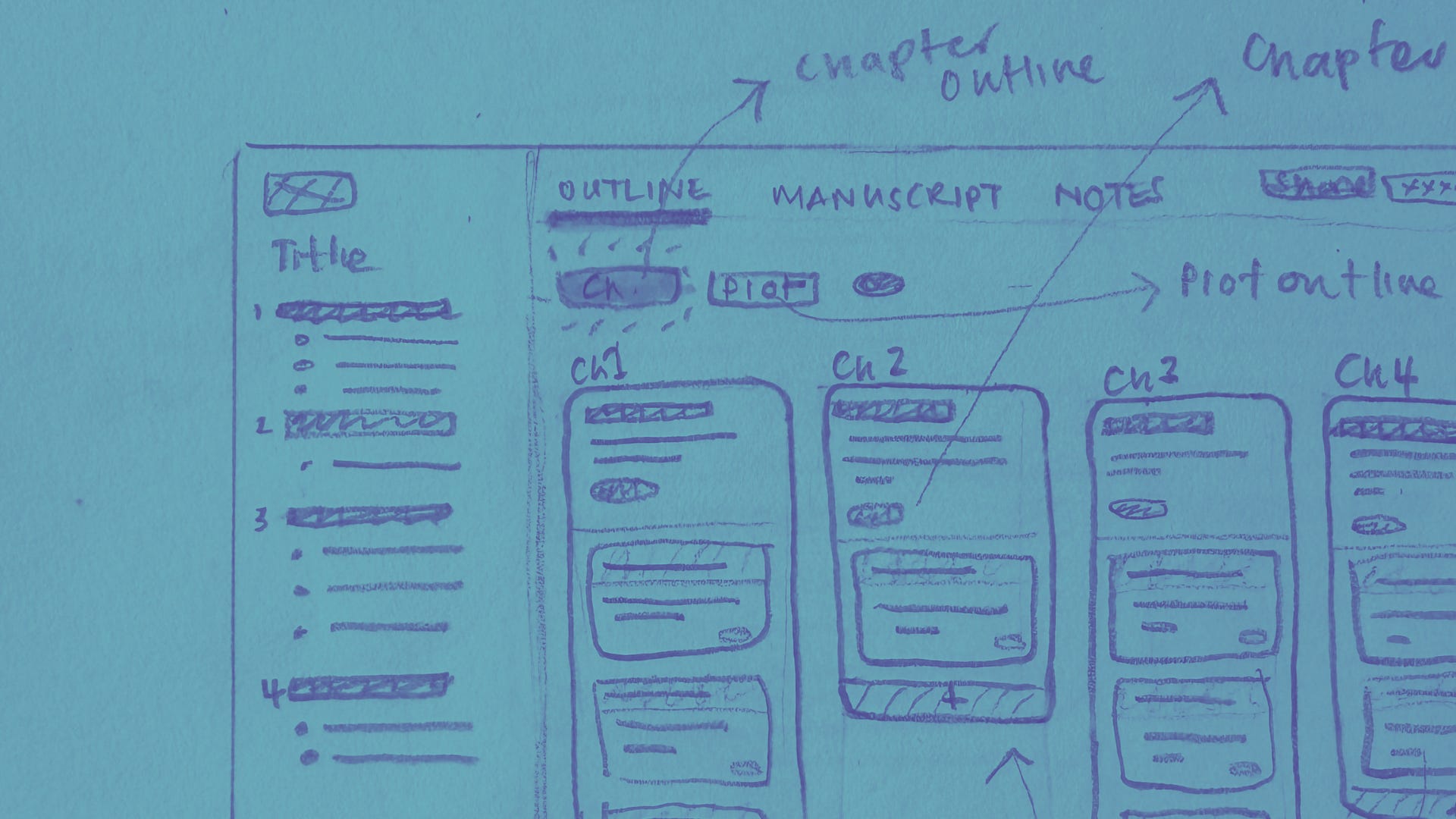
The first thinking around a standalone app
I moved from there into thinking about what a full app might look like, starting with the outline. These were the very, very first designs: the first draft of First Draft Pro!
The whole point of this outline was that it needed to work for both pantsers and planners. Heavy outliners and discovery writers have different needs, so I wanted to make sure that it was possible to:
Start outlining first, and write to that plan.
Start writing first, and use the outline to capture ideas for future chapters quickly, or just complete it as you go.
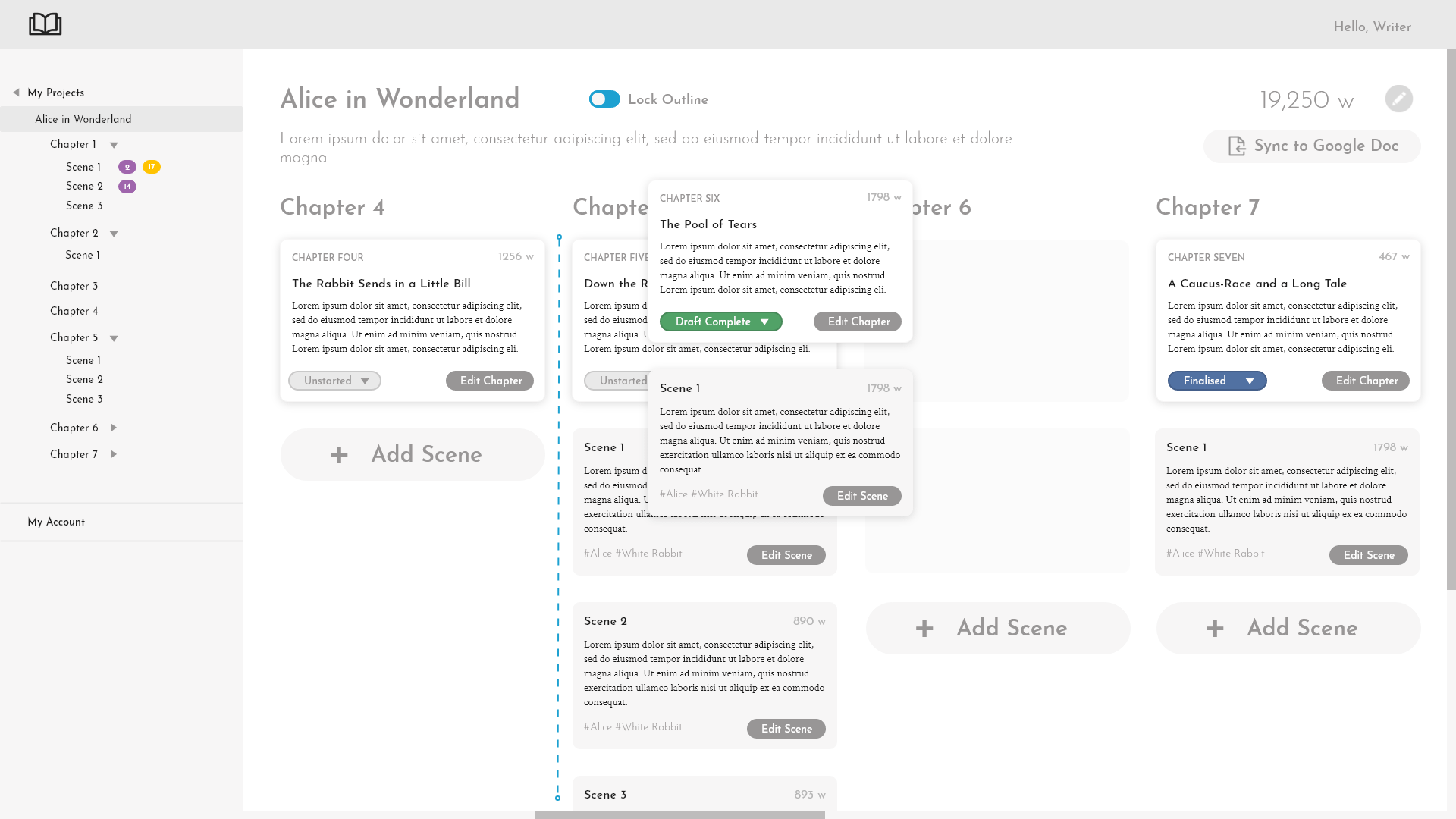
The next iteration of the outline
It’s super interesting to me to see what stayed and what was axed. If you’re using First Draft Pro today, you can also see how much of this version is still in the DNA of the current design!
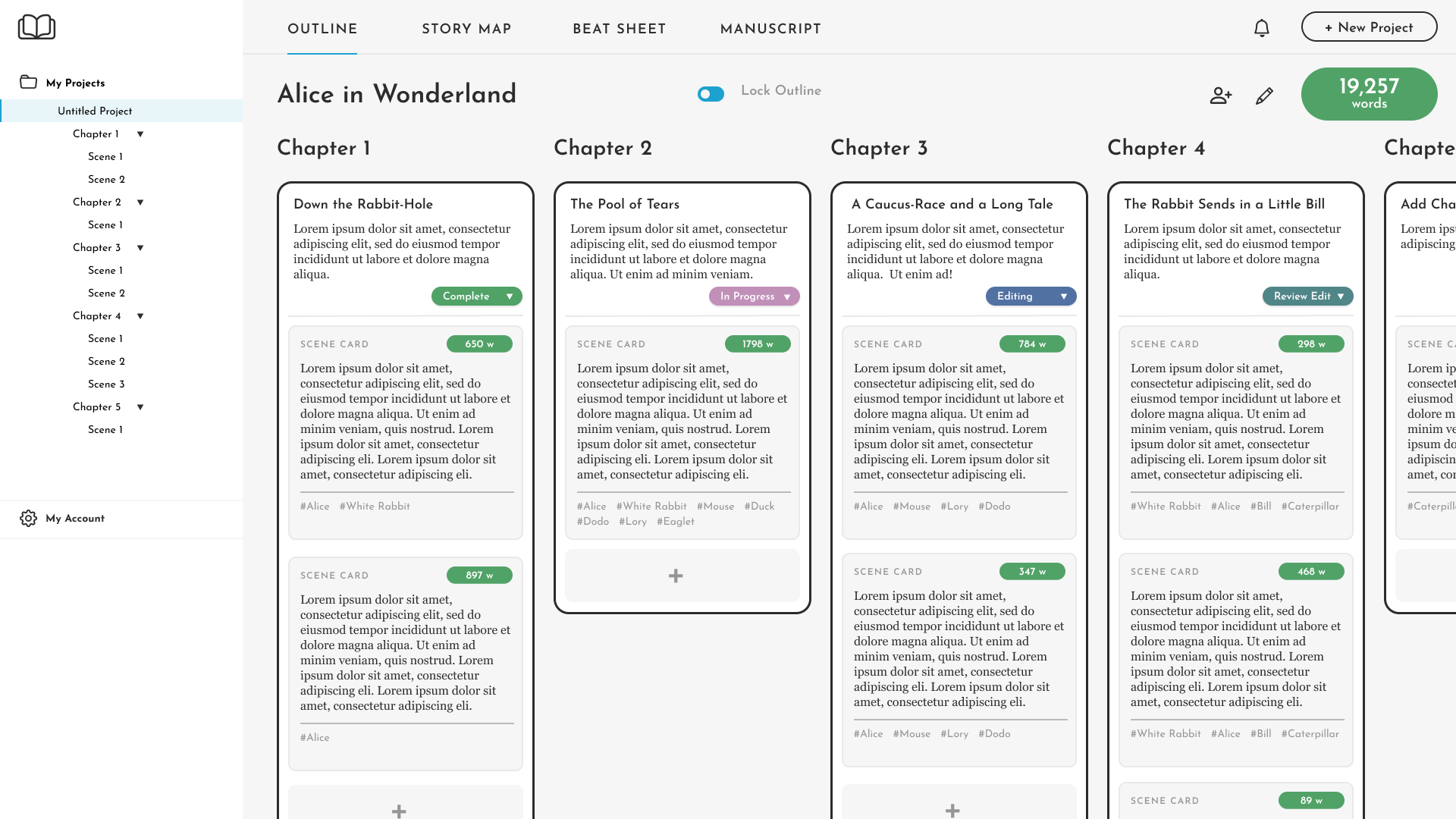
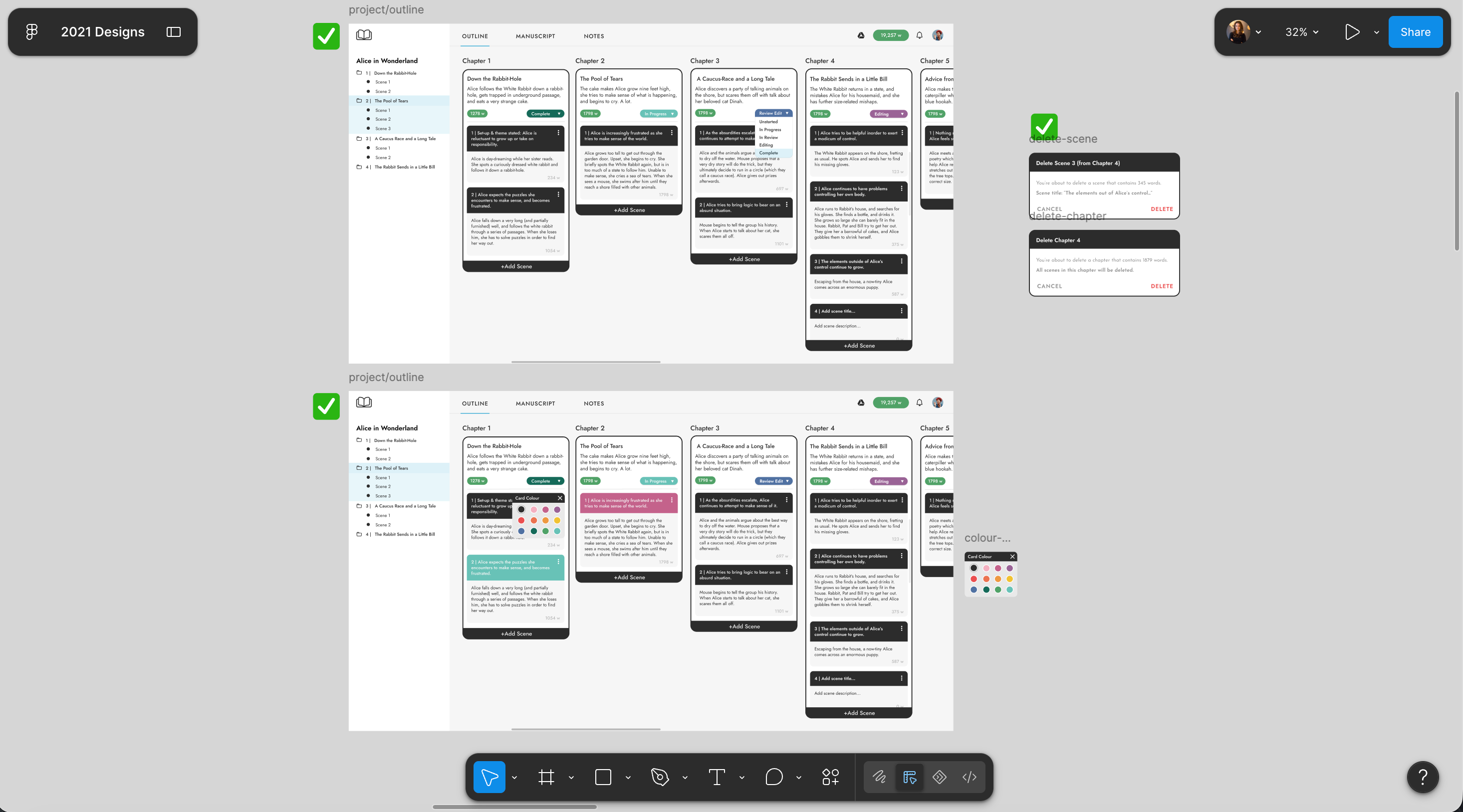
The first “final” version
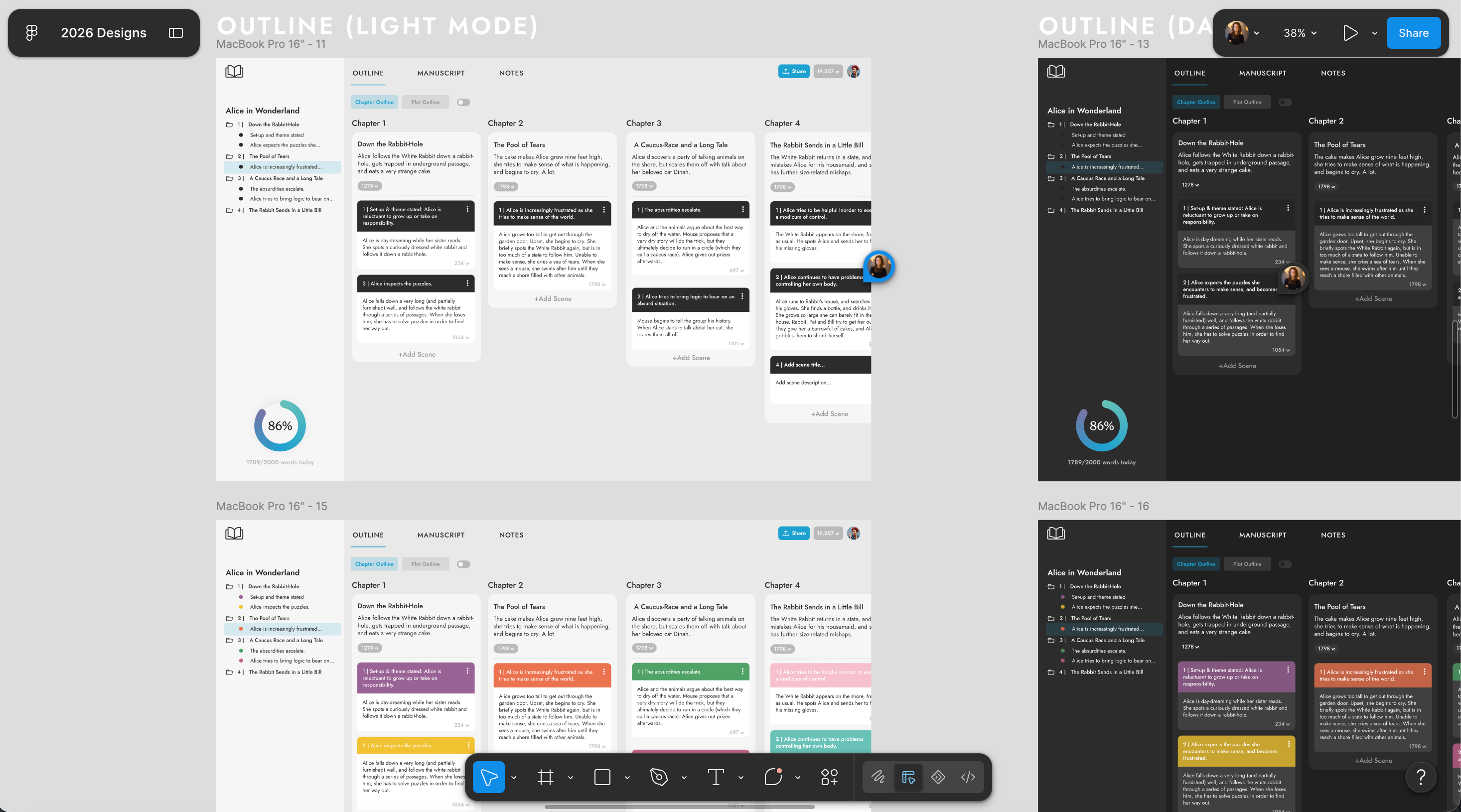
The version of the outline that we ended up with in the first release was closer to the designs below, and we lived with this version for a good while.
Biggest changes:
Made clearer differentiation between the title of a scene card + the description
Made the cards wider and easier to read
Changed the font
Moved settings and wordcount into the top navigation to save space
Redesigned the “add scene” buttons
Added colour coding (!)
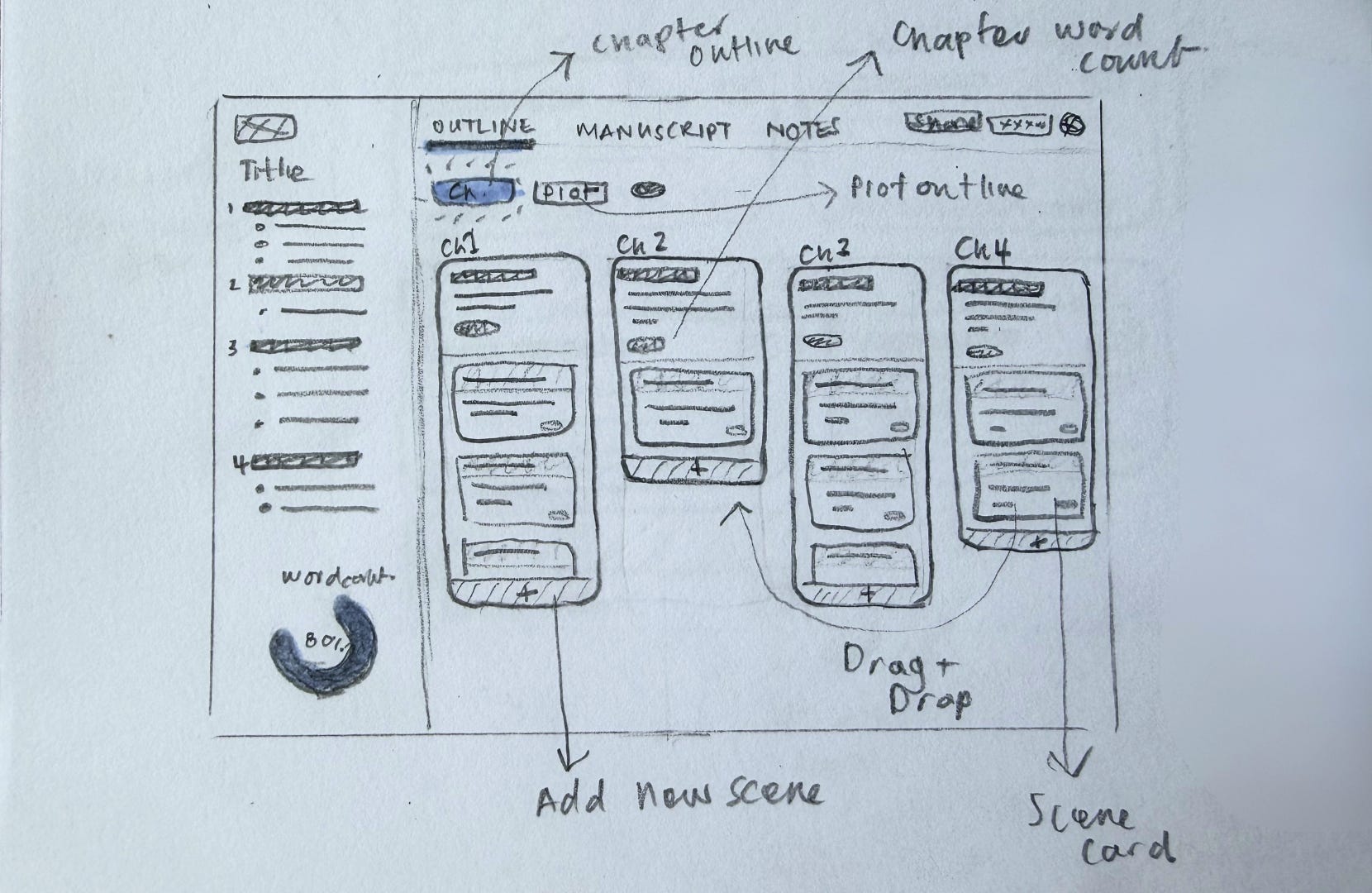
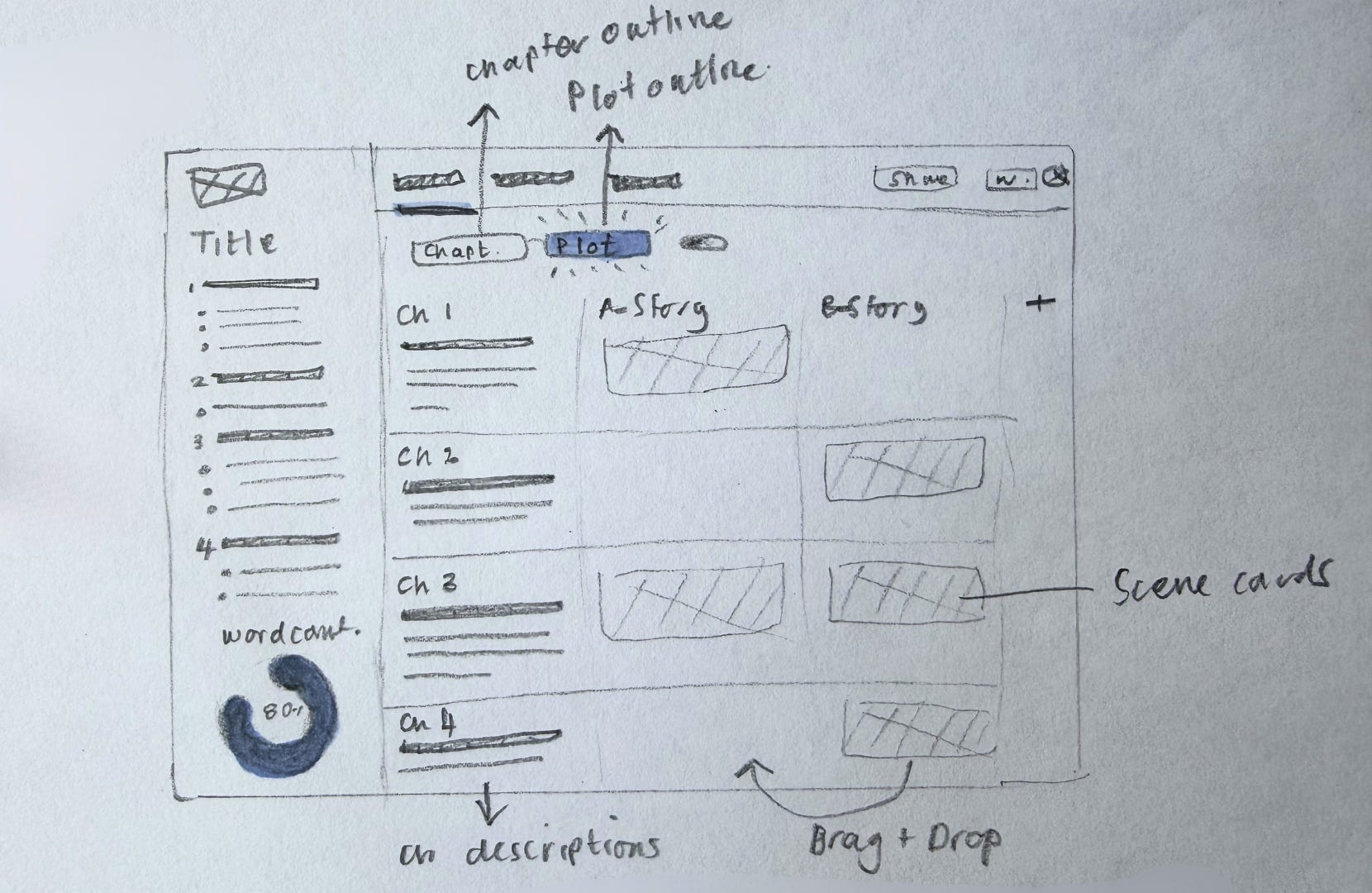
Adding the plotlines feature to the outline
But then… we added a second outlining method: plotlines! So, we needed to make some changes… I started with some rough sketches.
Then moved to design in both light and dark mode.
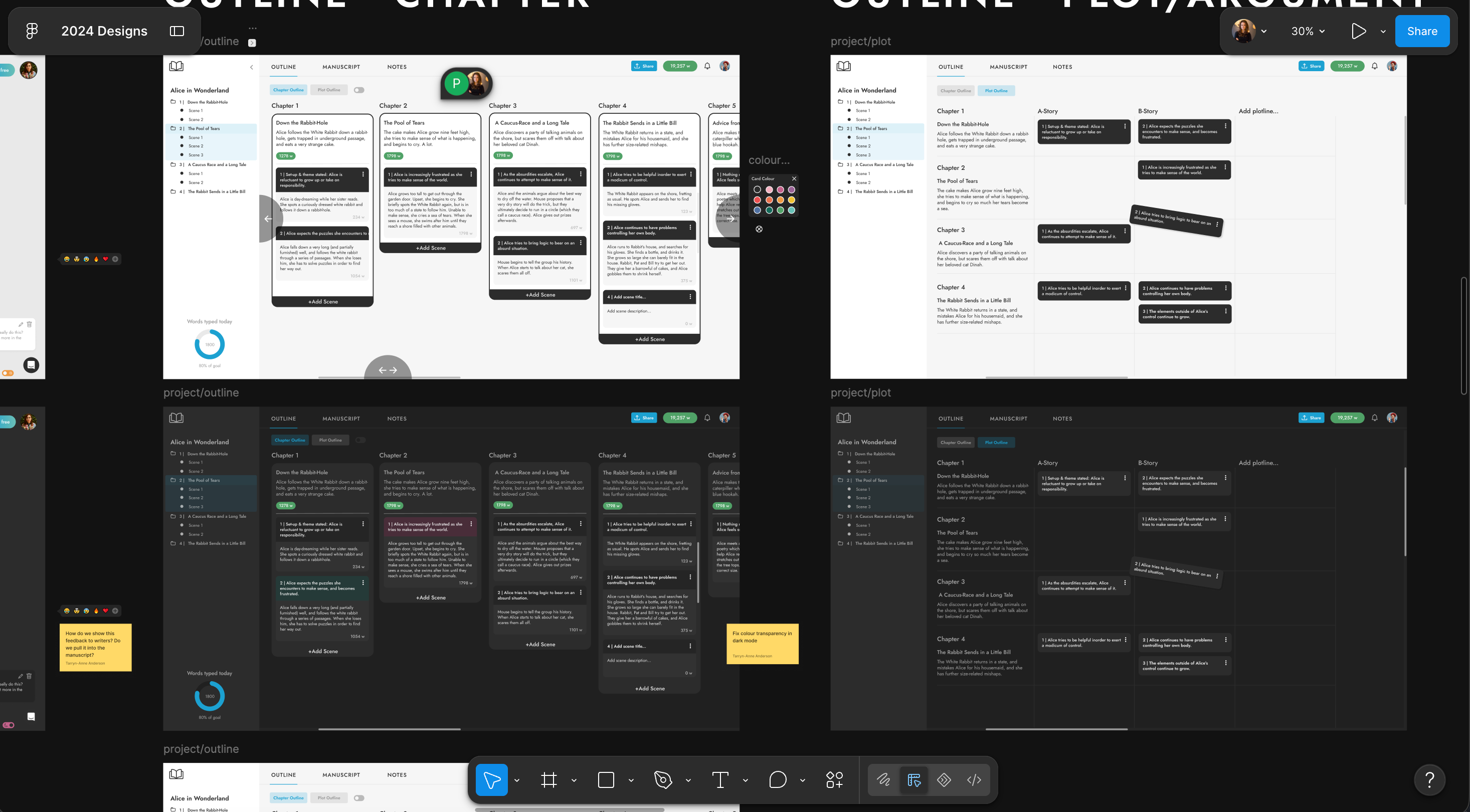
But today, the outline looks like this! It’s much cleaner and more focused, but a lot of the same principles are there, six years of refinement later. You’ll also notice that each time I took away more than I added, which is part of the big focus on improvement of the overall app by reducing cognitive overload.
The power of a great outline
Many existing writing tools were built for word processing in an office environment. But storytelling is a creative process, and scrolling through one long batch of words isn’t exactly conducive to creativity.
The outline and plotline features in First Draft Pro allow you to create an intuitive framework for your story. Zoom out for a high-level view of the beats in your story, or zoom right in to work on the finer details. Where you start is up to you! And if you want to explore all the app’s features, you can find them here.


🖤 And to reward you for getting to the end of my big nerd out :) here’s a discount code for 30% off any First Draft Pro subscription for 12 months: DESIGNDEEPDIVES