

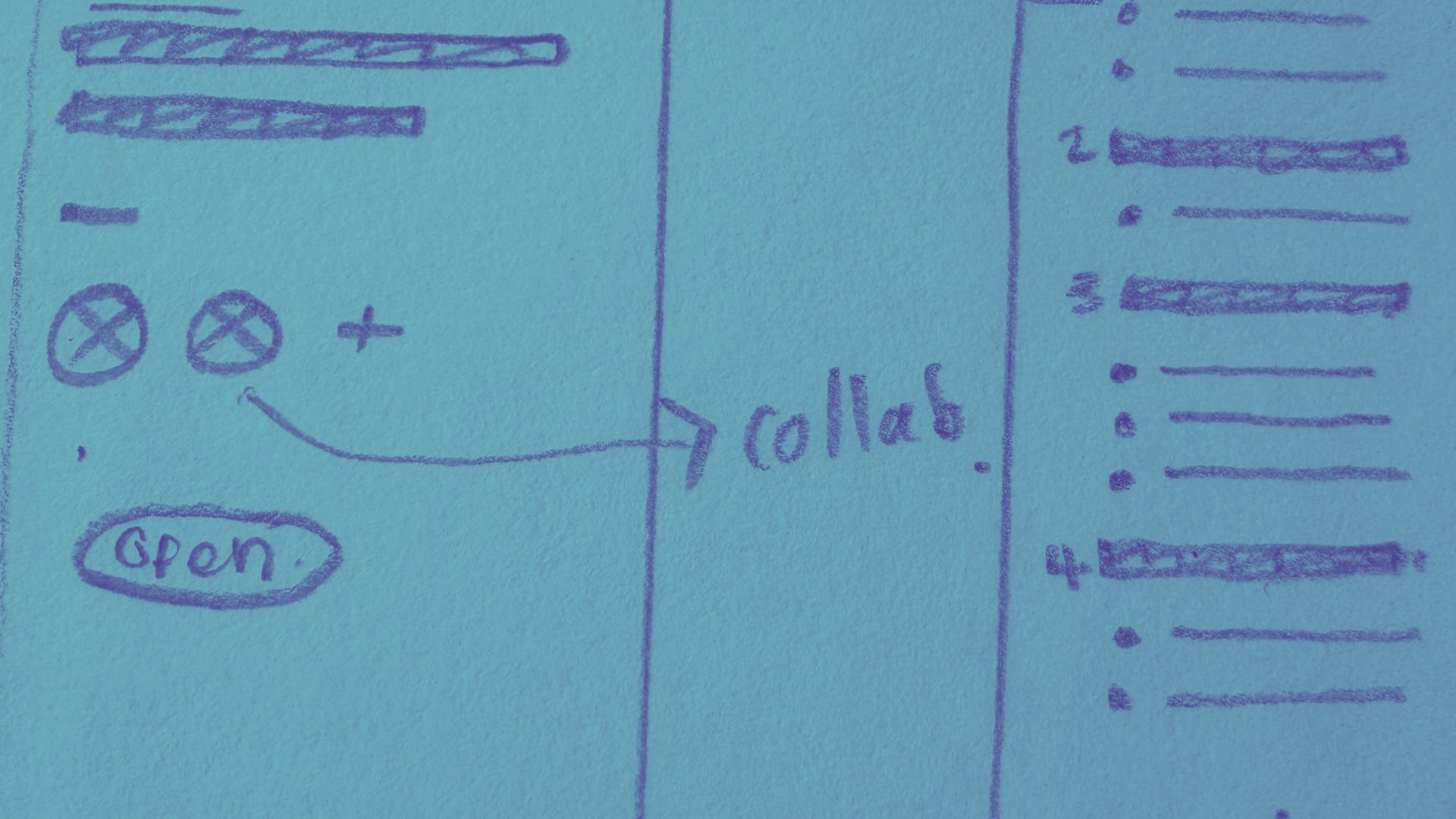
This is part of a series where I deep-dive into my favourite First Draft Pro features and how they were designed, because I love understanding the story behind a thing, and you might too! If you’d like to give your own feedback on this or any other feature (I love feedback, especially yours) you can do that here.
Before I started working on First Draft Pro, I became obsessed with the fact that while only one person’s name1 is printed in shining letters across the cover of your favourite book, most books are the loving work of many people: editors, co-writers, ghostwriters, and early readers. Queenie, the debut novel from Candice Carty-Williams had two pages (!) listing every person who worked on the book at the end.
Of those two pages of contributors, eight of them worked just on the words: they collaborated to craft the story, refine it, copy edit and proofread it. And they almost certainly did it by emailing Word documents back and forth and then trawling through these different versions to compare feedback and edits.
The thing that I couldn’t let go of was that storytellers don’t have great tools to help us work together. We rely on software that wasn’t built with story writing or collaboration in mind, and then do the best we can to collaborate to create stories anyway, because we love stories that much!
This was why from the very beginning, I wanted First Draft Pro to have collaboration and storytelling as a foundational part of the app design. Even the earliest marketing illustrations I commissioned for the app (done by the extremely talented Jess Jardim-Wedephol) focused on collaboration as part of the writing process. Gah, I still love them so, so much! LOOK:


Core design concepts
Design is about form and function, and research is super important! These concepts shaped my approach to designing for collaboration:
Consent and control, and how this affects motivation when sharing a project that others can edit and make changes in… That is: the reason why roles and permissions are very important!
Collaboration as a way to increase motivation with external accountability, but also: how feeling watched while working can make a writer self-conscious. As a result, we show when (and where) another author/editor is working in the document.
Building trust through visible changes rather than allowing someone to make changes that can’t be seen or undone. This is what led to track changes!
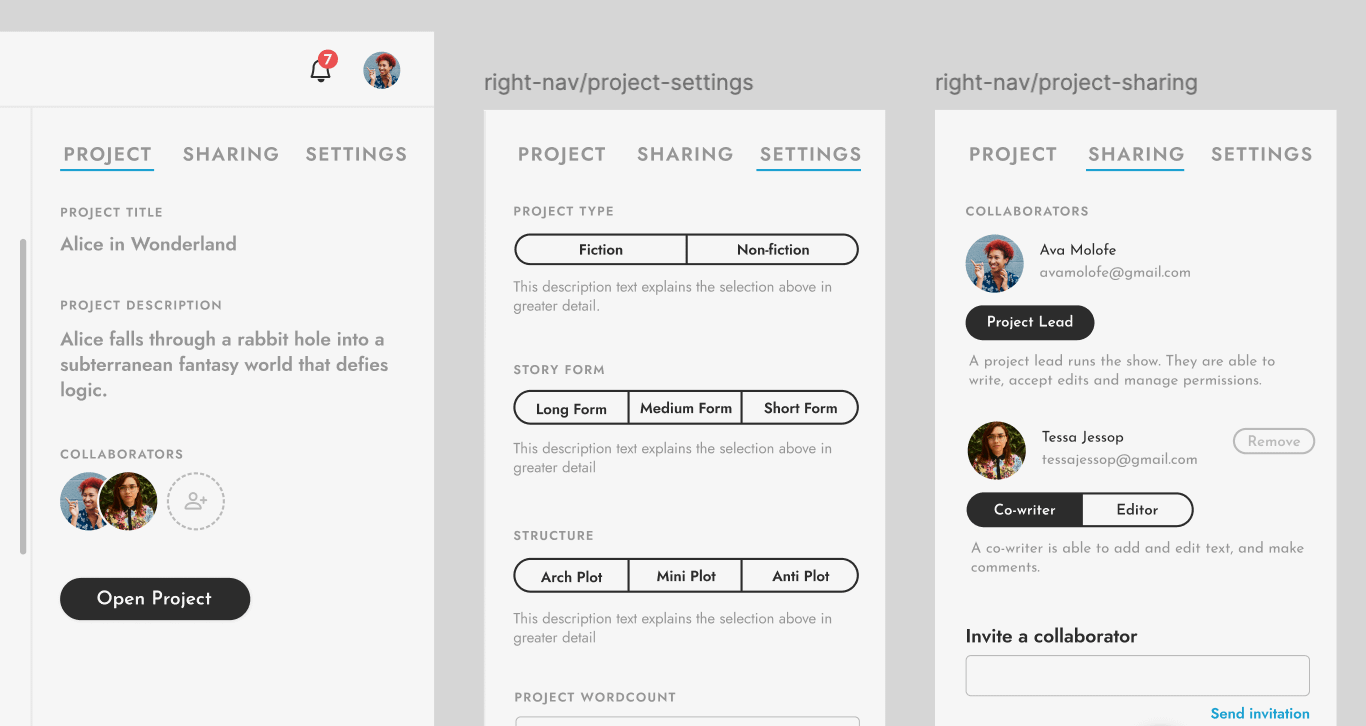
Here’s how to invite a collaborator
Whether you’re writing with someone else, or just roping in some help to spot typos and inconsistencies, it’s easy to invite editors and co-authors in:
Send an email invitation to any collaborator to ask them to join your writing project.
First Draft Pro allows you to control access to your project according to each person’s role:
Project leads have the highest level of access and can grant permissions to co-authors and editors to edit a project. Read more about understanding collaborator permissions.
Change a collaborator’s permissions at any time under your project’s ‘Sharing’ tab.
All the features designed around collaboration
Because writing and editing happens in the same place, here’s how to make the most of writing together:
Start a discussion thread. Leave comments for collaborators in your manuscript. Pick up the discussion at any time, and easily collapse the comment thread when you’re done to reduce overwhelm.
Keep notes. Worldbuilding notes and work-in-progress ideas live right alongside your manuscript, making it easy to comment on and add to.
Turn on suggesting mode. See step-by-step changes made by you or your collaborators with track changes. Tracked changes appear alongside longer, in-line comments and suggestions, making it easy to integrate all feedback when you’re ready.
Juggle scenes around easily. The outline feature makes it simple to drag and drop cards to move chapters and scenes around. Never fear, you won’t lose anything in the restructure – any text associated with those scenes will automatically be reordered in your manuscript.
Export to a different format. Need to share your manuscript with an external collaborator? Simply click the Drive icon in the top toolbar to export to Google Drive.
The power of collaborative storytelling
There really is magic in creating a story together. Although some parts of the writing process will be down to your individual genius, what better than to nerd-out with fellow story lovers about the nitty-gritty of your manuscript? First Draft Pro is designed with exactly this kind of collaboration in mind.
🖤 And to reward you for getting to the end of my big nerd out :) here’s a discount code for 30% off any First Draft Pro subscription for 12 months: DESIGNDEEPDIVES
Okay, sometimes two.
Dm now to get spoiled